Warehouses & boxes
Separate stock per site, aisle and labelled box, with transfers that update both sides at once.
Stock, invoices & purchases in one place
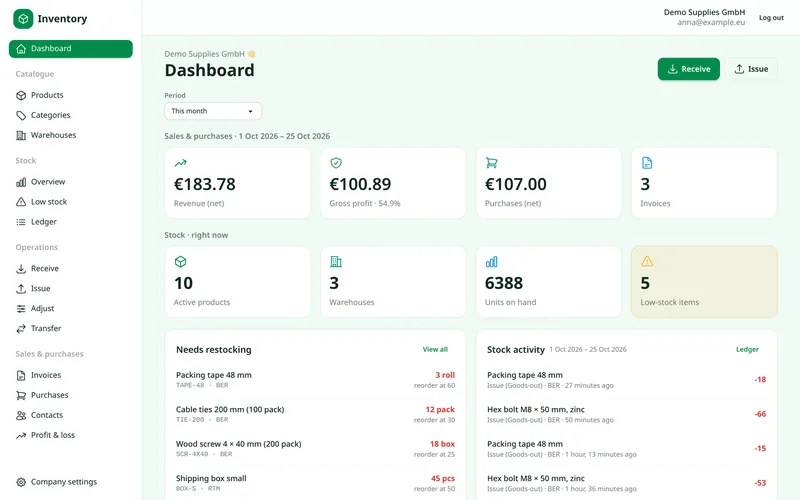
Know what you have, where it sits and when it expires. Book goods in and out from your phone, scan supplier bills with AI that runs on our own servers, and restock before the shelf is empty.
The product
No training needed. If you can use a spreadsheet, you can run your stock.
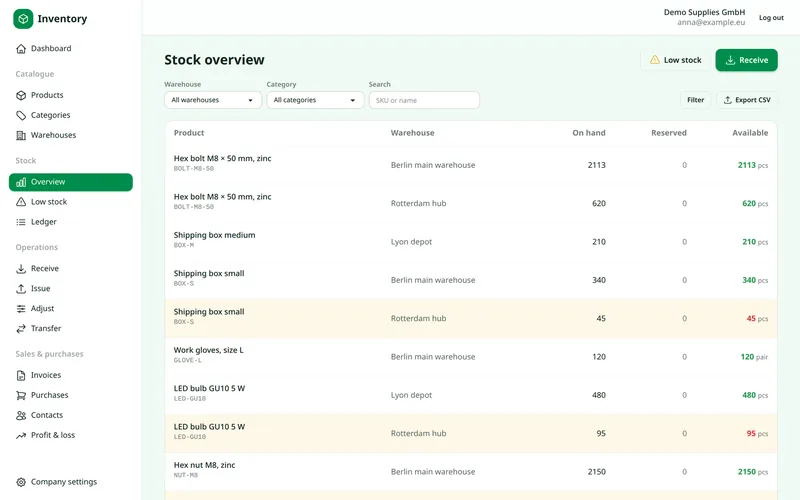
On-hand, reserved and available quantities side by side. Search by SKU or name and filter by warehouse; items near their reorder point light up.
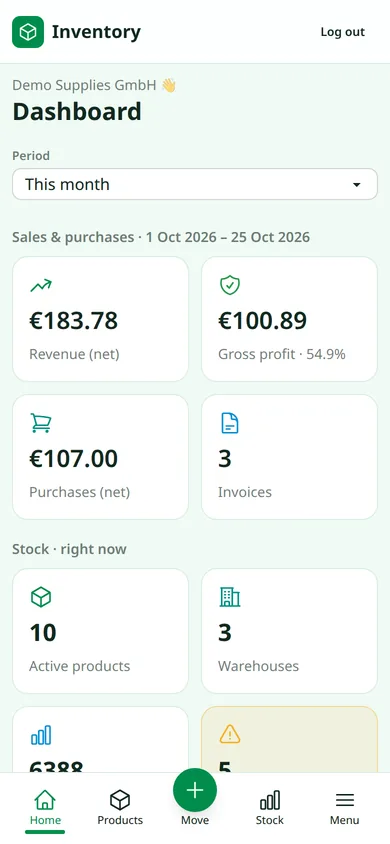
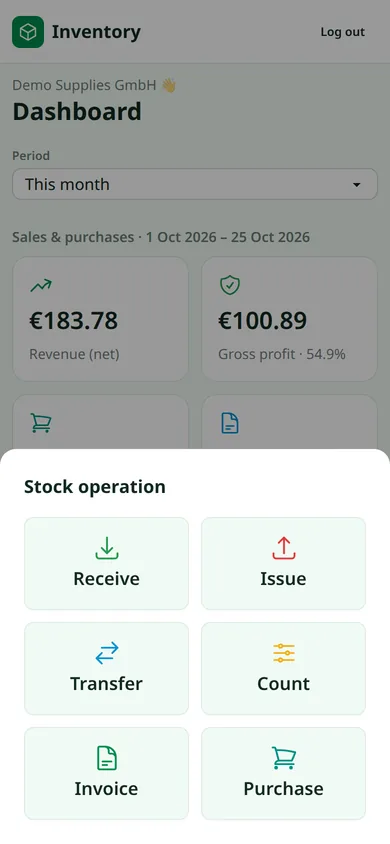
A thumb-friendly bottom bar puts Receive, Issue, Move and Count one tap away. No app store, no install: it works in the browser.
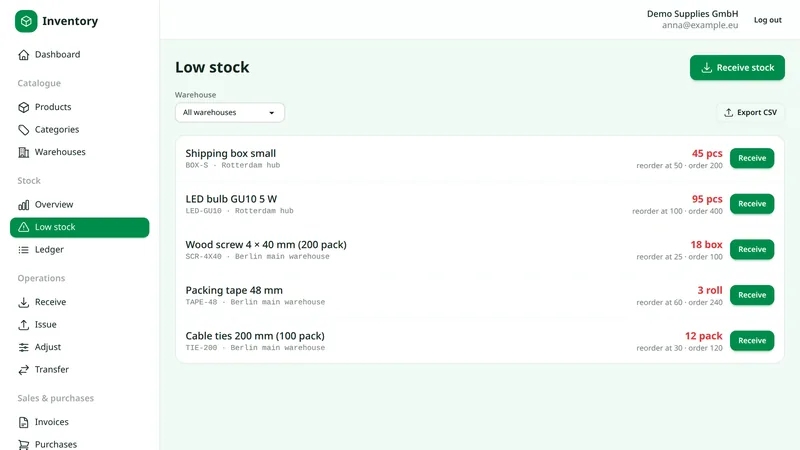
Give each product a reorder point. Anything at or below it shows up on the dashboard and the low-stock list, with your usual order quantity, so ordering takes seconds.
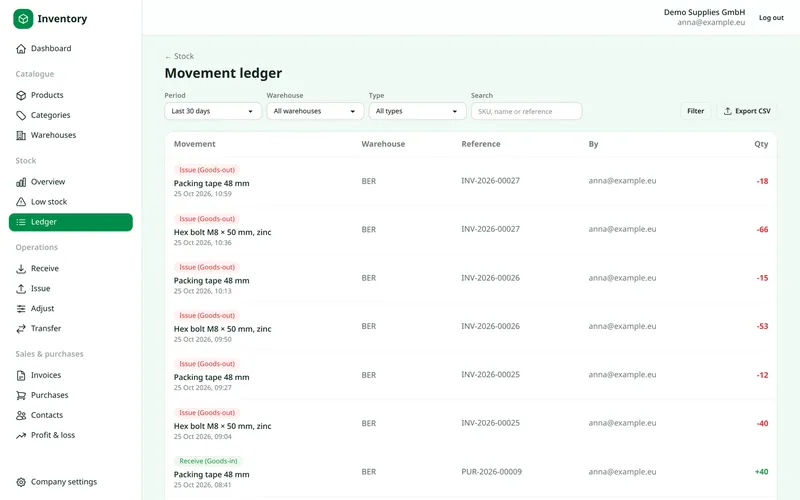
Receipts, issues, transfers and counts are written to an append-only ledger with user, time and reference. When numbers are questioned, the answer is one click away.
Why teams switch
Separate stock per site, aisle and labelled box, with transfers that update both sides at once.
Issues that would take more than you have are refused, even when two people click at once.
Lot numbers and best-before dates per delivery; first-expiry-first-out picking and expiry alerts.
Photograph a supplier bill or product label: the fields fill themselves. Runs on our own servers.
Import products, contacts and stock with a sample file and a preview; export every list.
Pages load in a blink; a thumb-friendly bar puts receive, issue and count one tap away.
How it works
A guided setup asks only for what's needed, and every form field explains what to enter.
Create your account
Email and password. No credit card.
Add a warehouse and boxes
Name, code, country, then label your shelves.
Add products
Type them in, import Excel or snap the label.
Book your stock
Receive deliveries; sell, count and move from your phone.
No. It runs in your browser on desktop, tablet and phone. Create an account and you're ready.
Yes. Add as many warehouses as you need, each with its own country and storage boxes, and move stock between them.
No. Issues and transfers that would take more than what's available are rejected, even if two people try at the same moment.
On servers in the European Economic Area. Each company's data is separated from every other account, and we never sell or share it. Details are in our Privacy Policy.
No. Bill and label reading runs on an AI model on our own servers. Your images are not sent to external AI providers and not used for training.
Yes. Every list exports to Excel or CSV, and My account → Download my data gives you everything in one file. You can also close your account yourself at any time.
Create your account and be on your dashboard in two minutes.